
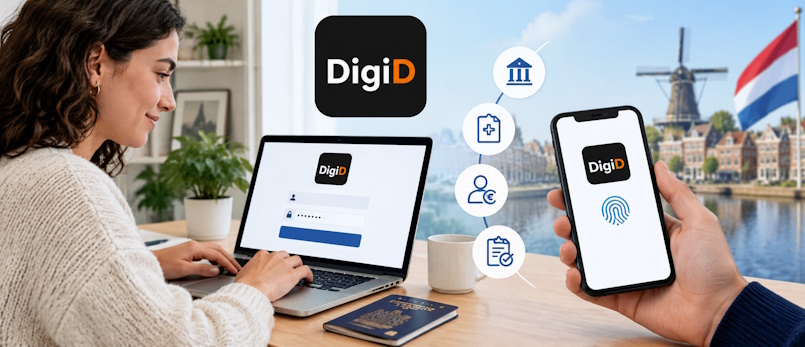
Filing your tax return, applying for healthcare allowance, checking your pension, reading letters from the government, seeing your GP's notes: in the Netherlands, almost all of it happens online, and almost all of it starts with DigiD. This guide explains what DigiD is, how to get it as an expat, the different ways to log in, and what to do when something goes wrong.
DigiD at a Glance
- What it is: your personal digital ID for logging in to Dutch government and public-service websites.
- Who can get it: anyone with a Dutch citizen service number (BSN), including foreign nationals.
- Cost: free.
- Where to apply: only at digid.nl.
- Best way to log in: the DigiD app, ideally with the ID check enabled.
- Golden rule: DigiD is personal. Never share your login details or codes with anyone, not even your partner or adviser.
What Is DigiD?
DigiD is short for Digitale Identiteit (Digital Identity). It's a login system run by Logius, part of the Dutch Ministry of the Interior and Kingdom Relations. Instead of creating a separate account for every government body, you use one DigiD to prove who you are online.
Your DigiD is linked to your BSN (burgerservicenummer). When you log in, the organisation knows it's really you and can show your personal information: your tax return, your benefits, your health insurance or your medical records.
A DigiD is for individuals only. Businesses use a separate system called eHerkenning. If you're a sole trader (eenmanszaak), though, you usually handle your business tax with the Belastingdienst using your personal DigiD.
What Do You Need DigiD For?
You'll use DigiD far more often than you expect. Common examples:
| Organisation | What you use it for |
|---|---|
| Belastingdienst (Tax Administration) | Filing your annual income tax return, provisional assessments, and applying for allowances (toeslagen) such as healthcare, rent and childcare allowance. |
| MijnOverheid | Your personal government portal. The Berichtenbox (message box) receives official letters digitally, and you can view your registered personal data, vehicle details and more. |
| Your municipality (gemeente) | Reporting a change of address, parking permits, municipal taxes, and requesting documents such as extracts from the population register. |
| Health insurer and healthcare providers | Your insurer's portal, claims, GP and hospital patient portals, online pharmacy services and your medical records. |
| SVB (Social Insurance Bank) | Child benefit (kinderbijslag) and state pension (AOW). |
| UWV | Unemployment and sickness benefits and your employment history. |
| DUO | Student finance, diplomas and civic integration (inburgering) matters. |
| Pensions | Your total pension overview at mijnpensioenoverzicht.nl and your pension fund's portal. |
| Other services | The IND (some online applications), the CJIB (traffic fines), the RDW (vehicle registration transfers) and many more. |
Many of these organisations offer little or no paper alternative, so getting your DigiD is one of the first things to do after you register in the Netherlands.
Who Can Apply for DigiD?
You can apply if you have a BSN. Nationality doesn't matter. In practice there are two situations:
- You live in the Netherlands: you're registered at a Dutch address in the Personal Records Database (BRP). This is the most common route for expats and the simplest one.
- You live abroad but have a BSN: for example, you used to live in the Netherlands, or you work here while living across the border and are registered as a non-resident (RNI). You can still get a DigiD, but activation works differently (see below).
No BSN yet? Then you can't apply for DigiD. Register with your municipality first. You'll receive your BSN at or shortly after your registration appointment.
How to Apply for DigiD (Living in the Netherlands)
- Make sure you're registered. Your DigiD activation letter is sent by post to the address registered in the BRP. If you've just moved, update your address with the municipality first.
- Apply online. Go to digid.nl and choose to request a DigiD. Enter your BSN, date of birth, postcode and house number exactly as registered.
- Choose a username and password. You'll also be asked for your mobile number and email address. Add both, because they make logging in and recovering your account much easier.
- Wait for the activation letter. It usually arrives within a few working days and contains an activation code. Check your post: the code is only valid for a limited time (shown in the letter). If it expires, you'll have to apply again.
- Activate your DigiD. Go back to digid.nl, or use the DigiD app, and enter the activation code. Your DigiD is now ready to use.
- Set up the DigiD app. Strongly recommended. More on this below.
Watch Out for Fake DigiD Sites
Applying for DigiD is always free and is only possible at digid.nl. Websites or "agents" that charge a fee to arrange DigiD for you are not official, and you should never give them your BSN or personal details.
How to Get DigiD If You Live Abroad
If you're not registered at a Dutch address, the activation letter can't be posted to you in the usual way. You start by applying at digid.nl, then activate your account in one of these ways:
- Via the DigiD app with ID check: if you have a valid Dutch passport, Dutch identity card or Dutch residence document, you can usually activate DigiD yourself by scanning the document's chip with your phone.
- At a DigiD desk: you can activate in person at a DigiD desk (DigiD-balie) in a number of Dutch municipalities and at selected Dutch embassies and consulates abroad. Bring a valid identity document. Check digid.nl for the current list of locations and whether you need an appointment.
Moving away from the Netherlands? You can keep your DigiD after you leave. You'll probably still need it: for your final Dutch tax return, for pension information, or if you keep receiving Dutch benefits. Before you go, install and activate the DigiD app, and make sure your mobile number is up to date.
Ways to Log In: The DigiD Security Levels
DigiD can be used in several ways, each giving a different level of security (betrouwbaarheidsniveau). Each organisation decides which level it requires. The more sensitive the information, the higher the level. Medical records and tax data, for example, need more than just a password.
| Level | How you log in | Typically used for |
|---|---|---|
| Basis | Username and password only | A shrinking number of low-risk services. Most organisations no longer accept this on its own. |
| Midden | Username + password + SMS code, or the DigiD app | Most government services, including the Belastingdienst, MijnOverheid and most health insurers. |
| Substantieel | DigiD app with the ID check completed | Services that handle very sensitive data, such as some healthcare and patient portals. |
| Hoog | DigiD app combined with a Dutch identity card that has a login function | A small number of services that require the highest level of certainty. Only available to holders of a recent Dutch ID card. |
If you try to log in with a lower level than a service requires, you'll be asked to use a stronger method. Setting up the DigiD app with ID check covers almost every service you'll come across.
The DigiD App: The Easiest Way to Log In
The DigiD app (free, for iOS and Android) replaces typing your username and password. You log in by entering a 5-digit PIN in the app or by scanning a QR code shown on your computer screen.
How to set it up
- Download the official DigiD app from the App Store or Google Play (publisher: Logius).
- Open the app and log in with your DigiD username and password (plus an SMS code if you've set one up), or use a separate activation letter if you don't have SMS verification.
- Choose a 5-digit PIN. Don't use your birth date or a simple sequence.
- Optional but recommended: complete the ID check to raise your app to the Substantieel level.
The ID check
The ID check links your app to an official identity document. You scan the document's chip with your phone's NFC reader. This works with a valid:
- Dutch driving licence (credit-card model)
- Dutch passport or Dutch identity card
- Dutch residence document (verblijfsdocument)
Many expats can't do the ID check at first, because a foreign passport or ID card isn't supported. Once you have a Dutch residence document or exchange your licence for a Dutch driving licence, you can complete it. Until then, the app on its own (Midden) is enough for most services.
The app is linked to one phone. If you get a new phone, set up the app again on the new device. The old one is then deactivated automatically.
Logging In: What It Looks Like in Practice
- Go to the website of the organisation (for example, Mijn Belastingdienst) and choose Log in with DigiD.
- You're redirected to the DigiD login page. Always check that the web address starts with https:// and belongs to digid.nl.
- Choose how to log in: with the DigiD app (scan the QR code or confirm on your phone) or with username, password and SMS code.
- Once you're logged in, you're sent back to the organisation's website and can see your personal environment.
For safety, sessions log out automatically after a period of inactivity. Always log out yourself when using a shared computer.
Letting Someone Else Act for You: DigiD Machtigen
It's tempting to give your login details to a partner, a tax adviser or a relocation agent. Don't. It's against the DigiD terms of use, and you're responsible for everything done with your DigiD.
Instead, use DigiD Machtigen (authorisation). You give a specific person permission to arrange specific matters on your behalf, such as your income tax return, using their own DigiD. You can withdraw the authorisation at any time. Not every organisation supports this, so check with the service you need. For the Belastingdienst, tax advisers often use their own authorisation arrangements.
DigiD for Children
Children with a BSN can have their own DigiD, and they'll need one as they get older. Students need it for DUO, and from age 16 young people in the Netherlands generally manage their own medical information, so parents can no longer view it with their own DigiD. A child applies the same way as an adult. The activation letter goes to the registered address. Parents can use DigiD Machtigen for services that allow it.
Keeping Your DigiD Safe
- Never share your username, password, PIN, SMS codes or activation codes with anyone.
- Logius and government organisations will never ask for your DigiD details by phone, email, text message or WhatsApp. A message like that is phishing.
- Be wary of links in emails or text messages saying your DigiD "is about to expire" or "needs to be verified". Go to digid.nl directly instead.
- Read the notification emails. DigiD emails you when your account is used or changed. If you don't recognise an activity, change your password and contact the DigiD helpdesk straight away.
- Use the app rather than SMS where possible. It's more secure and easier.
- Lost your phone? Log in at digid.nl (using another method) to deactivate the app, or contact the helpdesk.
Common Problems and How to Fix Them
I forgot my password or username
Use the "Forgot password?" or "Forgot username?" options on digid.nl. Depending on what you've set up, you can recover your account through the app, SMS or email, or a new activation letter will be sent to your registered address.
My activation code expired or the letter never arrived
Check that your address is registered correctly with your municipality and that your name is on your letterbox. Then simply apply for DigiD again.
I changed my mobile number
Log in at digid.nl and update your phone number under "My DigiD" (Mijn DigiD). If you can no longer receive SMS codes on the old number, you may need to request a new activation letter.
My DigiD was cancelled
A DigiD that hasn't been used for a long time (currently three years) is cancelled automatically. You'll receive a warning email beforehand. Use your DigiD at least once in a while, or simply apply for a new one if it has been cancelled.
The website says my login method isn't strong enough
The service requires a higher security level. Set up SMS verification or the DigiD app, and complete the ID check if you can.
Still stuck?
Contact the DigiD helpdesk on +31 88 123 6 555. Staff speak English. Current opening hours are listed on digid.nl. The helpdesk can help with your DigiD itself. For questions about your tax return, benefits or other content, contact that organisation directly.
Can I Log In Without DigiD?
Sometimes. Under European eIDAS rules, citizens of some EU countries can log in to certain Dutch government services with their own country's recognised digital ID, using the "European login" option on the login page. Support is still limited, though, and once you live in the Netherlands, DigiD is by far the most practical option. For your first weeks, many organisations can still be reached by phone or post while you wait for your DigiD to be activated.
Your DigiD Checklist as a New Arrival
- Register with your municipality and get your BSN.
- Apply for DigiD at digid.nl, adding your mobile number and email.
- Activate it as soon as the letter arrives, before the code expires.
- Install the DigiD app and choose a secure PIN.
- Complete the ID check once you have a Dutch residence document or Dutch driving licence.
- Log in to MijnOverheid and turn on the Berichtenbox so you don't miss official letters.
- Check whether you're entitled to allowances, such as healthcare allowance, via the Belastingdienst.
Official Sources
- DigiD: official website (English)
- DigiD: apply and activate
- DigiD: the DigiD app and ID check
- MijnOverheid: your personal government portal
- Government.nl: citizen service number (BSN)
Procedures, supported documents and security requirements change from time to time. Always check digid.nl for the current situation before applying or activating.
💡 Need Help With Dutch Paperwork?
Getting your BSN, DigiD and first government accounts in place is just the start of settling in. ExpatNL can put you in touch with trusted local experts for the steps that follow. For anything about your DigiD itself, contact the official DigiD helpdesk. Never share your login details with a third party. Get in touch with us.


